:focal(undefined))
Example 1:
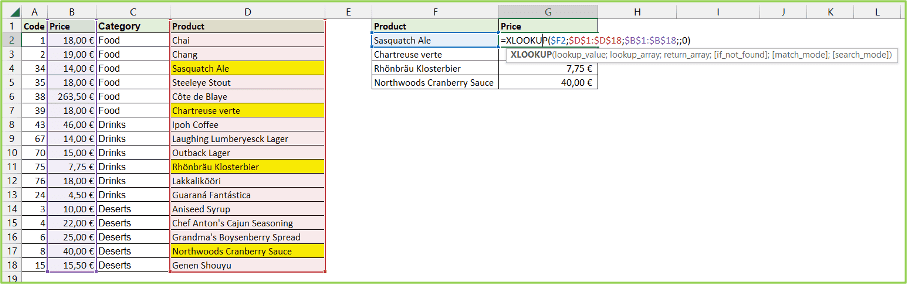
Suppose we have a list of products and their prices (A1 to D18), and we want to find the prices (G5) of the products (F2 to F5). Unlike with VLOOKUP, this example can be solved easily with XLOOKUP.
=XLOOKUP(F2; D1:D18; B1:B18)
In this formula, Product name (F2) is the value we want to look up, D2:D18 is the range we want to search in, and B2:B18 is the range where we want to find the price. This will retrieve the product's price based on the product name.